 Michael Nelson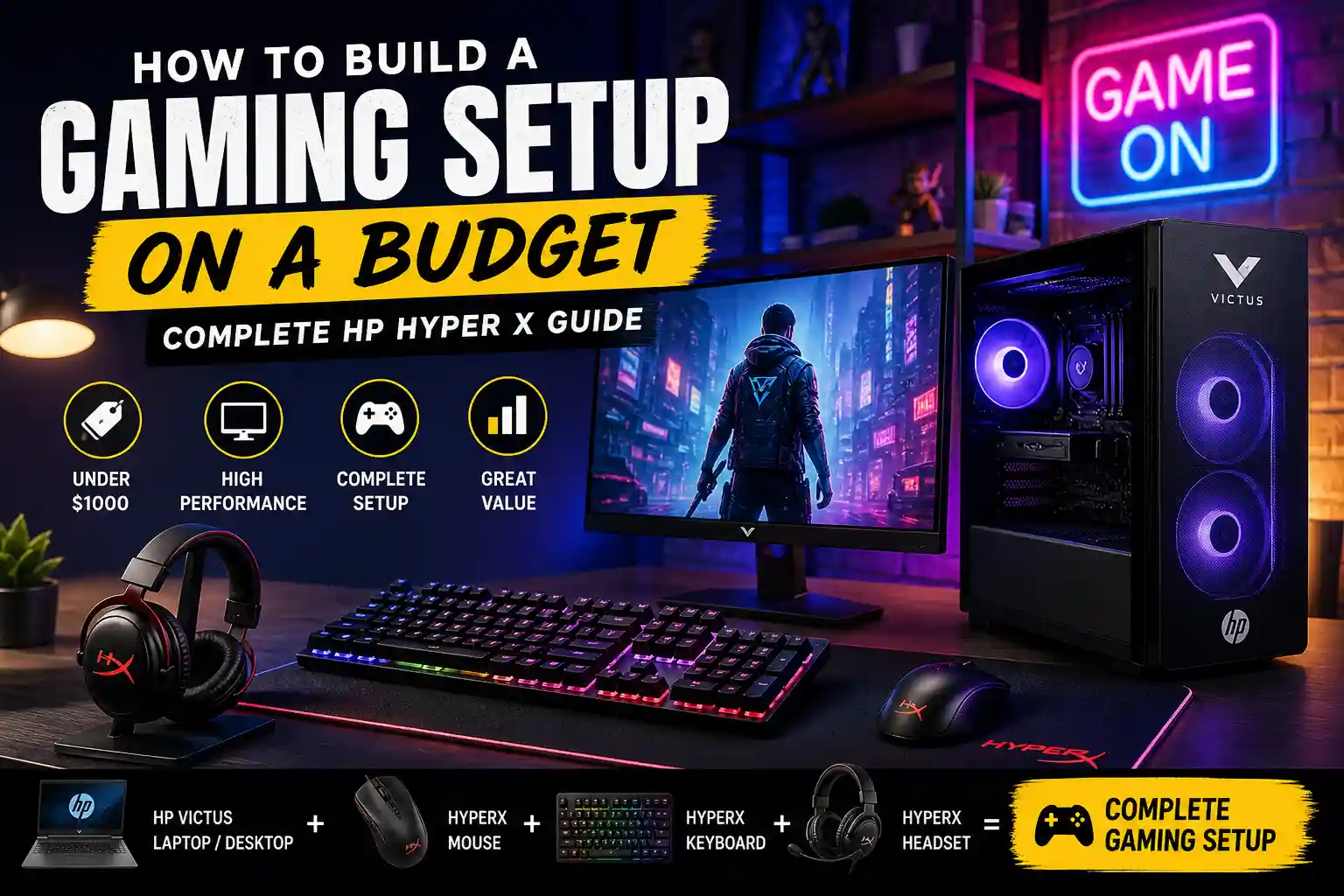
Introduction:
Building a gaming setup on a budget used to feel like a compromise. But in my experience, that’s no longer true, especially in 2025–2026. With the right strategy, you can build a powerful setup that delivers smooth 1080p gaming, solid FPS, and a great overall experience without overspending.
I’ve tested multiple budget configurations, and one thing is clear: it’s not about how much you spend—it’s about where you spend it.
In this guide, I’ll walk you through:
- How to build a gaming setup under $1000
- What components actually matter
- Real performance expectations
- And how HP Victus systems + HyperX peripherals can give you excellent value
Overview (Quick Answer for Beginners)
A beginner gaming setup under $1,000 typically includes an NVIDIA RTX 4060 or AMD RX 7600 PC for 1080p gaming, paired with a 144Hz+ monitor, mechanical keyboard, and gaming mouse.
The focus should be on allocating 65–70% of your budget ($650–$700) to the PC itself.
✅ Best Value Beginner Setup ($700–$1000)
- PC: Intel Core i5 or AMD Ryzen 5, 16GB RAM, 500GB+ SSD, RTX 4060 or RX 7600 / RX 6500 XT
- Monitor: 1080p gaming monitor (144Hz or higher)
- Peripherals: Mechanical keyboard + fast wireless mouse (like Logitech)
- Essentials: Gaming headset, desk, and comfortable chair
💡 Budget Optimization Tips
- 16GB RAM is enough (32GB optional)
- Start with 500GB SSD and upgrade later
- Focus on GPU + CPU first for best performance
What Can You Really Get for $1000?
Let’s set realistic expectations.
From what I’ve tested, a $1000 setup can deliver:
- 100+ FPS in esports games like Valorant and CS2
- 60–100 FPS in Fortnite and Apex Legends
- 40–60 FPS in AAA games like Cyberpunk 2077 or Elden Ring
👉 The key is balancing performance and cost—not chasing ultra settings.
Gaming Desktop vs Laptop: Which Should You Choose?
This is one of the biggest decisions.
💻 Gaming Laptop (HP Victus)
In my experience, laptops are perfect if you:
- Have limited space
- Need portability
- Want an all-in-one setup
Pros:
- Built-in display, keyboard, and trackpad
- Easy to set up
- Portable
Cons:
- Lower performance per dollar
- Limited upgrades
- Thermal throttling under load
Gaming Desktop (HP Victus 15L)
If performance is your priority, desktops win.
Pros:
- Better cooling
- Easy upgrades
- More FPS for the same budget
Cons:
- Requires monitor + peripherals
- Not portable
👉 Personally, I recommend desktop for performance and laptop for convenience.
Read More About: Small Room? Here’s Exactly How I’d Fit a Gaming Setup Without Feeling Cramped
Key Components: Where Your Money Matters Most
This is where most beginners go wrong.
🎯 1. GPU (Most Important)
Your Graphics Processing Unit controls:
- FPS
- Visual quality
- Ray tracing
Best budget options:
- NVIDIA RTX 3050 / 4060
- AMD RX 6500 XT / 7600
👉 In my builds, upgrading GPU always gave the biggest performance boost.
2. CPU
A good CPU ensures:
- Smooth gameplay
- Stable frame rates
- No bottlenecks
Sweet spot:
- AMD Ryzen 5
- Intel Core i5
3. RAM
- Minimum: 8GB
- Recommended: 16GB
👉 I’ve tested both, 16GB makes a huge difference in multitasking and gaming smoothness.
4. Storage
- Use NVMe SSD only
- Avoid HDD for gaming
Start with:
- 500GB SSD (upgrade later)
Best Budget Gaming Laptop: HP Victus
One of the best value options I’ve tested is the HP Victus gaming laptop.
🔧 Why It Works
- RTX 2050 / RTX 3050 GPU
- AMD Ryzen 5 processor
- 144Hz display
- SSD storage
🎮 Performance (Real Experience)
- Valorant → 150+ FPS
- Fortnite → 100+ FPS
- Cyberpunk → ~50 FPS
👉 For a budget laptop, this is impressive.
Best Budget Gaming Desktop: HP Victus 15L
If you want maximum performance, this is a great choice.
💡 What I Like
- Strong AMD Ryzen CPU
- Radeon RX GPU
- Upgrade-friendly design
🎯 Why Desktop Wins
- Better cooling
- Higher FPS
- Cheaper upgrades
HyperX Peripheral Setup (Worth It?)
Peripherals are often ignored—but they matter a lot.
From my testing, HyperX offers great value for budget gamers.
🖱️ Gaming Mouse
- HyperX Pulsefire Haste 2
- Lightweight + precise
- Great for FPS games
⌨️ Keyboard
- HyperX Alloy Core RGB
- Quiet and reliable
- Good for beginners
🎧 Headset
- HyperX Cloud Stinger 2
- Clear sound + mic
- Comfortable for long sessions
👉 These aren’t luxury items—but they get the job done really well.
Budget Optimization Strategy (Game-Changer)
Here’s how I personally allocate budget:
- 65–70% → PC
- 15–20% → Monitor
- 10–15% → Peripherals
- 5% → Accessories
Smart Buying Tips
- Buy during sales (Black Friday, back-to-school)
- Look for bundle deals
- Don’t overspend on RGB or aesthetics
Free Performance Boost Tips
- Update GPU drivers
- Lower unnecessary settings
- Close background apps
- Keep SSD storage free
🔄 Upgrade Path (Think Long-Term)
A smart setup grows with you.
📅 6–12 Months
- Upgrade RAM to 16GB
- Add more storage
📅 1–2 Years
- Upgrade GPU
- Upgrade monitor (144Hz → 240Hz or 1440p)
📅 2+ Years
- Upgrade CPU + motherboard
👉 I always recommend buying upgrade-friendly systems.
Complete Budget Setup Example
Here’s a realistic setup I’d recommend:
💻 Laptop Setup (~$950)
- HP Victus laptop
- Gaming mouse
- Headset
- Mousepad
🖥️ Desktop Setup (~$980)
- HP Victus desktop
- 144Hz monitor
- Keyboard + mouse
- Headset
Both setups deliver excellent value—it depends on your needs.
Extra Tips Most Guides Ignore
Comfort Matters
- Use a proper chair
- Keep monitor at eye level
- Reduce eye strain with lighting
Maintenance
- Clean dust regularly
- Monitor temperatures
- Keep software updated
Space Optimization
- Use compact setups
- Manage cables
- Consider wall mounts
Conclusion
Building a gaming setup on a budget isn’t about cutting corners—it’s about making smart decisions.
From my experience, if you:
- Prioritize GPU and CPU
- Choose reliable systems like HP Victus
- Use quality peripherals like HyperX
- Plan upgrades early
👉 You can create a powerful gaming setup under $1000 that feels anything but “budget.”
Final Thought
Great gaming isn’t about having the most expensive setup—it’s about having the right setup for your needs.
Start smart, upgrade gradually, and enjoy the process.
FAQs
What is the best gaming setup to start off with?
The best beginner setup is one that balances performance and budget.
👉 A solid starting setup includes:
- PC/Laptop: Intel Core i5 or AMD Ryzen 5 with RTX 3050 / RX 6500 XT
- RAM: 16GB
- Storage: 500GB SSD
- Monitor: 1080p with 144Hz refresh rate
- Peripherals: Basic gaming mouse, keyboard, and headset
💡 In my experience, focusing on a strong GPU and 16GB RAM gives the best performance for beginners without overspending.
What is the 20-20-20 rule for gaming?
The 20-20-20 rule helps reduce eye strain during long gaming sessions.
👉 Here’s how it works:
- Every 20 minutes
- Look at something 20 feet away
- For at least 20 seconds
💡 I personally use this during long sessions, and it really helps prevent headaches and eye fatigue.
Can a $500 PC run Fortnite?
Yes, a $500 PC can run Fortnite, but with some limitations.
👉 What to expect:
- Low to medium settings
- Around 40–60 FPS
- Smooth gameplay if optimized properly
💡 Tip: Lower settings like shadows and effects to improve performance. Fortnite is well-optimized, so even budget PCs can handle it.
What do you need for a gaming setup for beginners?
A beginner gaming setup doesn’t need to be complicated.
👉 Essentials include:
- Gaming PC or Laptop
- Monitor (1080p recommended)
- Keyboard and Mouse
- Headset with mic
- Stable internet connection
👉 Optional but helpful:
- Gaming chair
- Desk
- Mousepad
💡 Start simple. You can always upgrade later as your needs grow.
Is 32GB RAM overkill for gaming?
For most gamers, yes—32GB RAM is more than you need.
👉 Here’s a better breakdown:
- 8GB: Minimum (not ideal today)
- 16GB: Best for gaming (recommended)
- 32GB: Only useful for heavy tasks like streaming, editing, or multitasking
💡 In my experience, 16GB gives smooth performance in almost all modern games.
Which PC brand is best for gaming?
There’s no single “best” brand—it depends on your needs and budget.
👉 Some reliable gaming brands include:
- HP (Victus series) – great for budget setups
- ASUS (ROG series) – high performance
- MSI – strong gaming hardware
- Lenovo (Legion series) – balanced performance
- Acer (Nitro series) – budget-friendly
💡 My advice: Focus more on specs (GPU, CPU, RAM) than just the brand name.


 Mark Jones