 Elsa Addison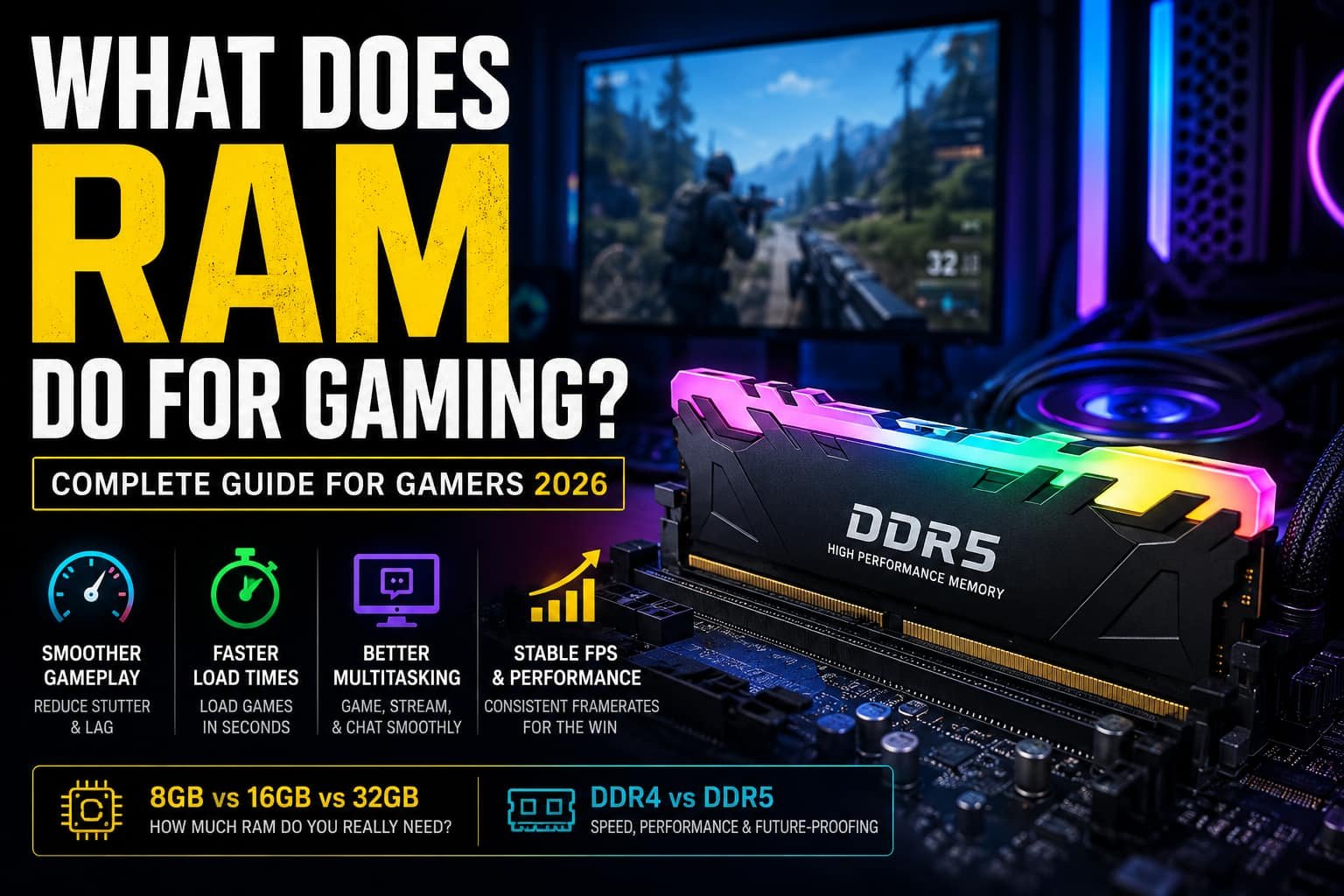
If you’ve ever upgraded your gaming PC or watched gameplay benchmarks online, you’ve probably heard people say things like, “You need more RAM,” or “DDR5 makes games smoother.”
But what does RAM actually do for gaming?
I used to think RAM only affected how many apps I could open at once. After testing different gaming setups over the years, from budget builds with 8GB RAM to high-end systems with 32GB DDR5 memory, I realized RAM plays a much bigger role than most gamers think.
In simple terms, RAM acts as your computer’s short-term memory. It temporarily stores game files, textures, maps, and active data so your CPU can access them instantly. Without enough RAM, your system starts relying on slower storage drives, which causes stuttering, longer loading times, frame drops, and inconsistent gameplay.
In modern gaming, especially in 2026, RAM has become more important than ever. Open-world games, competitive shooters, streaming software, Discord, browsers, and background apps all consume memory simultaneously. That means choosing the right amount of RAM can directly affect how smooth and responsive your gaming experience feels.
In this guide, I’ll explain exactly what RAM does for gaming, how much you need, whether more RAM increases FPS, and how to choose the best RAM setup for your gaming PC.
What Is RAM?
RAM stands for Random Access Memory. It’s a type of high-speed memory your computer uses to temporarily store active data while programs and games are running.
Unlike SSDs or hard drives, RAM is much faster. Your CPU can access RAM almost instantly, which is why games move important files from storage into memory during gameplay.
Think of it like this:
- Your SSD is a warehouse
- Your RAM is a work desk
- Your CPU is the worker
The larger and faster the desk, the easier it becomes for the worker to access tools and complete tasks efficiently.
In gaming, RAM stores things like:
- Game textures
- Character models
- Maps
- Audio files
- Shader data
- Physics calculations
- Background processes
In my experience, the difference between insufficient RAM and optimized RAM is immediately noticeable. Games feel smoother, alt-tabbing becomes faster, and annoying stutters disappear.
Modern gaming systems now typically use DDR4 or DDR5 RAM. DDR5 offers:
- Higher bandwidth
- Faster data transfer rates
- Better power efficiency
- Improved multitasking performance
That’s one reason many newer gaming PCs are moving toward DDR5 memory in 2026.
What Does RAM Do for Gaming?
RAM plays a critical role in gaming performance because it allows your system to quickly access active game data without constantly pulling information from slower storage drives.
When you launch a game, your PC loads essential assets into RAM so the CPU and GPU can process them rapidly.
Here’s what RAM mainly improves during gaming:
Faster Loading Times
Games load textures, environments, maps, and character assets into RAM. Faster memory helps reduce loading screens and makes transitions smoother.
I noticed this clearly while testing open-world games. Systems with adequate RAM loaded large environments significantly faster and experienced fewer texture pop-ins.
Smoother Gameplay
One of the biggest benefits of enough RAM is reduced stuttering.
When your PC runs out of available memory, it starts using your SSD as “virtual memory,” which is much slower. This creates lag spikes and inconsistent frame pacing.
Adequate RAM helps maintain:
- Stable FPS
- Smooth frame delivery
- Better responsiveness
- Reduced micro-stutters
This becomes especially important in competitive games where every frame matters.
Better Multitasking
Most gamers don’t just run games anymore.
In my setup, I usually have:
- Discord open
- Chrome tabs running
- Spotify playing
- OBS recording gameplay
Without enough RAM, background apps start competing for resources, which hurts gaming performance.
That’s why multitasking gamers often benefit from 32GB RAM setups.
Improved Open-World Gaming Performance
Modern AAA games stream huge amounts of data in real time.
Games like large RPGs, simulation games, and open-world shooters constantly load:
- Textures
- NPC data
- Terrain
- Physics systems
More RAM helps these games run smoothly without excessive loading delays or frame drops.
Does More RAM Increase FPS?
This is one of the most common gaming questions.
The answer is: sometimes.
If your system already has enough RAM for a game, adding more memory usually won’t dramatically increase average FPS.
However, if your system lacks sufficient RAM, upgrading can significantly improve:
- 1% low FPS
- Frame consistency
- Stuttering
- Overall smoothness
For example, I tested a modern shooter on 8GB RAM and experienced random frame dips during intense fights. After upgrading to 16GB, gameplay became much more stable even though average FPS only improved slightly.
So while RAM doesn’t directly create FPS like a GPU does, it prevents memory bottlenecks that hurt gaming performance.
How Much RAM Do You Need for Gaming in 2026?
The ideal amount of RAM depends on the type of games you play and whether you multitask while gaming.
Is 8GB RAM Good for Gaming?
8GB can still handle lightweight or older games such as:
- Minecraft
- League of Legends
- Valorant
- Indie games
But in my experience, modern AAA titles push 8GB systems very hard. Once background apps open, performance quickly becomes inconsistent.
For casual gaming only, 8GB is still usable, but it’s no longer ideal for modern gaming PCs.
Is 16GB RAM Good for Gaming?
Yes, 16GB is currently the sweet spot for gaming in 2026.
It offers enough memory for:
- Most modern games
- Discord
- Web browsing
- Streaming music
- Light multitasking
If someone asks me for the best balance between performance and cost, I usually recommend 16GB RAM first.
It handles most gaming workloads comfortably without overspending.
Why Do Gamers Choose 32GB RAM?
Many competitive and enthusiast gamers now use 32GB RAM because gaming habits have changed.
Modern gamers often:
- Stream gameplay
- Record videos
- Run multiple monitors
- Use Chrome while gaming
- Edit content simultaneously
32GB gives extra headroom for demanding workloads and future-proofs the system for upcoming games.
In my own testing, 32GB made multitasking noticeably smoother while streaming and gaming at the same time.
Is 64GB RAM Worth It for Gaming?
For most gamers, no.
64GB is usually unnecessary unless you also do:
- Professional video editing
- 3D rendering
- Virtual machines
- Heavy production workloads
Pure gaming rarely uses that much memory today.
When Should You Upgrade Your RAM?
If your system struggles during gaming, RAM could be the issue.
Here are common signs it’s time for an upgrade:
Frequent Stuttering
Random lag spikes during gameplay often indicate memory limitations.
Slow Loading Times
If maps and textures load slowly, insufficient RAM may be forcing your system to rely on storage drives.
High Memory Usage
If Task Manager constantly shows RAM usage above 80–90%, your system is under memory pressure.
Crashes or Freezes
Games crashing unexpectedly can sometimes happen when memory runs out.
How to Choose the Right RAM for Gaming
Buying RAM can feel confusing because there are so many specifications. Here’s what actually matters.
1. Check Motherboard Compatibility
Always verify whether your motherboard supports:
- DDR4
- DDR5
- Maximum RAM capacity
- Supported memory speeds
Compatibility comes first.
2. Prioritize Dual-Channel Memory
In most cases, two RAM sticks perform better than one.
For example:
- 2×8GB often outperforms 1×16GB
Dual-channel memory improves bandwidth and gaming responsiveness.
3. Choose the Right Speed
RAM speed affects data transfer rates.
For gaming in 2026, good starting points are:
- DDR4: 3200MHz+
- DDR5: 5600MHz+
Faster RAM can improve CPU-heavy games and reduce latency.
4. Think About Future-Proofing
If you plan to keep your gaming PC for several years, investing in 32GB may save future upgrade costs.
Game memory requirements continue increasing every year.
5. Don’t Ignore Cooling and Build Quality
High-quality RAM modules often include:
- Better heat dissipation
- Improved stability
- Overclocking support
- Enhanced durability
Reliable memory becomes especially important in long gaming sessions.
Does RAM Speed Matter for Gaming?
Yes, but not as much as capacity.
In most games, upgrading from 8GB to 16GB delivers bigger improvements than upgrading to slightly faster RAM.
However, RAM speed still matters in:
- CPU-intensive games
- Open-world games
- Competitive esports titles
- High-refresh-rate gaming
DDR5 memory also improves bandwidth and efficiency compared to older DDR4 kits.
Common Gaming RAM Mistakes
Over the years, I’ve seen gamers make the same RAM mistakes repeatedly.
Avoid these:
- Buying too little RAM for multitasking
- Mixing incompatible RAM kits
- Ignoring motherboard compatibility
- Using single-channel memory
- Overspending on unnecessary capacities
The best gaming setup is balanced, not simply expensive.
Final Thoughts
RAM is one of the most important components in a gaming PC because it directly affects smoothness, responsiveness, loading times, and multitasking performance.
In my experience, upgrading from insufficient RAM is one of the most noticeable improvements you can make to a gaming setup. Games feel smoother, background apps stop interfering, and overall system responsiveness improves immediately.
For most gamers in 2026:
- 16GB RAM is the ideal starting point
- 32GB is excellent for streaming and multitasking
- DDR5 offers strong long-term value
More RAM won’t magically double your FPS, but having enough memory prevents bottlenecks that ruin the gaming experience.
If you’re building or upgrading a gaming PC, focus on balance. Pair sufficient RAM with a capable CPU, GPU, and fast SSD to create a system that feels smooth today and remains powerful for years to come.


 Mark Jones