 Elsa Addison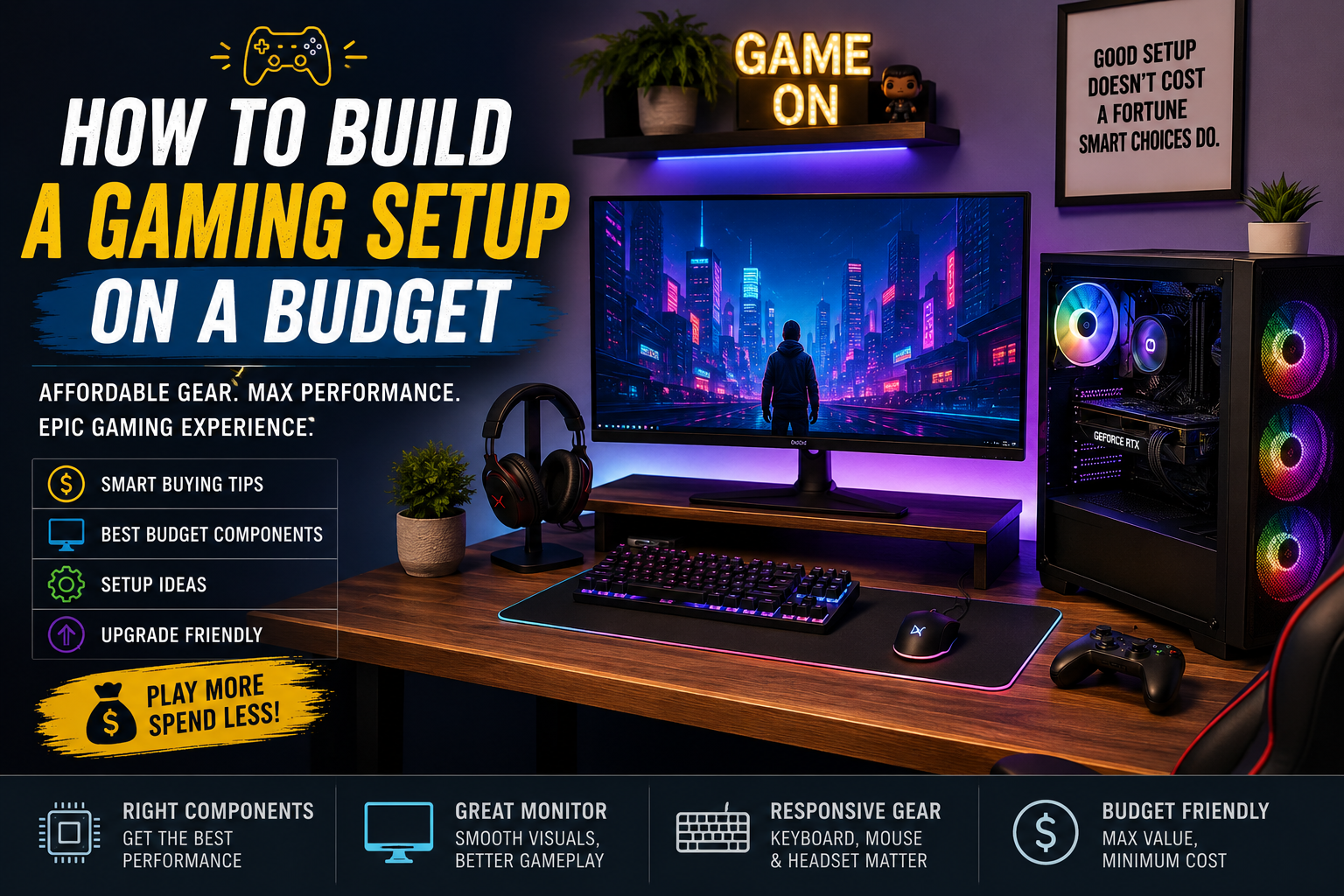
The first gaming setup I put together looked nothing like the sleek RGB battlestations you see all over social media. My desk was an old study table, my monitor was borrowed from a family computer, and my headphones had seen better days. Yet somehow, those late-night gaming sessions were some of the most memorable. That experience taught me an important lesson: a great gaming setup isn’t about spending thousands of dollars—it’s about spending wisely.
If you’re wondering how to build a gaming setup on a budget, you’re definitely not alone. Many new gamers assume they need expensive hardware to enjoy titles like Fortnite, Valorant, Minecraft, Counter-Strike 2, or Call of Duty. In reality, smart planning often beats an oversized budget.
In my experience, researching components, comparing performance benchmarks, and gradually upgrading delivers much better value than buying everything at once. I’ve spent countless hours comparing GPUs, CPUs, monitors, keyboards, and gaming accessories while helping friends build affordable gaming PCs. Along the way, I learned where it’s worth investing—and where you can confidently save money.
This guide walks you through everything you need to know, from choosing the right hardware to creating a comfortable gaming environment without overspending.
Why Budget Gaming Makes More Sense Than Ever
Gaming hardware has improved dramatically over the past few hardware generations.
Even entry-level graphics cards and processors now deliver smooth gameplay at 1080p resolution, making budget gaming more accessible than ever. Components from AMD, Intel, NVIDIA, Kingston, Corsair, Logitech, HyperX, SteelSeries, and ASUS offer excellent performance without requiring premium pricing.
Instead of chasing ultra-high frame rates that most casual gamers won’t notice, I recommend focusing on balanced performance.
A well-balanced gaming setup simply feels better to use.
Read More:How Much RAM for Gaming?
Step 1: Set a Realistic Budget
Before buying anything, decide exactly how much you’re comfortable spending.
For example:
- Entry-Level Setup: Around $500–$700
- Mid-Range Budget Setup: Around $700–$1,000
- Upgrade-Friendly Setup: Around $1,000–$1,200
When I built one of my favorite budget gaming PCs, I started with a modest budget and prioritized performance over aesthetics. Fancy RGB lighting looked cool, but upgrading the graphics card delivered a much bigger improvement.
Step 2: Prioritize Performance Components
Many beginners spend too much on accessories before purchasing quality core components.
Here’s the order I recommend.
Processor (CPU)
The CPU acts as the brain of your gaming computer.
Excellent budget-friendly choices often include:
- AMD Ryzen 5 series
- Intel Core i5 processors
Both provide enough power for gaming, streaming, and everyday productivity.
Graphics Card (GPU)
The graphics card has the biggest impact on gaming performance.
Popular value-oriented options include:
- NVIDIA GeForce RTX 4060
- AMD Radeon RX 7600
- Intel Arc A750
In my testing and research, spending slightly more on the GPU usually provides noticeably better gaming performance than overspending on the processor.
Memory (RAM)
For modern gaming:
- 16GB DDR4 remains an excellent choice.
- 32GB is beneficial for content creation and heavy multitasking.
Avoid purchasing only 8GB unless your budget is extremely limited.
Storage
Solid-state drives dramatically reduce loading times.
A 1TB NVMe SSD offers enough space for Windows, several AAA games, and everyday software.
Believe me, once you switch from an older hard drive, you’ll never want to go back.
Step 3: Choose a Good Budget Monitor
Many gamers underestimate the importance of the monitor.
A budget gaming monitor should ideally include:
- 1080p resolution
- 144Hz refresh rate
- IPS panel
- Adaptive Sync support
Brands like ASUS TUF Gaming, Acer Nitro, MSI, LG UltraGear, and Gigabyte offer excellent budget-friendly monitors.
When I upgraded from a 60Hz display to 144Hz, the improvement felt more noticeable than I expected. Fast-paced shooters suddenly felt much smoother.
Step 4: Buy Comfortable Peripherals
Your keyboard, mouse, and headset directly affect your gaming experience.
Gaming Mouse
Look for:
- Adjustable DPI
- Lightweight design
- Comfortable grip
- Reliable sensor
Logitech G305 and Razer DeathAdder remain excellent budget choices.
Gaming Keyboard
Mechanical keyboards provide better durability and responsiveness.
Budget-friendly brands include:
- Redragon
- Keychron
- Royal Kludge
- Corsair
Even affordable mechanical keyboards feel significantly better than generic office keyboards.
Gaming Headset
Good audio improves both immersion and competitive awareness.
HyperX Cloud Stinger, SteelSeries Arctis Nova, and Logitech G435 consistently deliver strong value.
Step 5: Don’t Overspend on RGB
I completely understand the appeal of RGB lighting.
When I first started browsing gaming setup inspiration online, I almost spent a large portion of my budget on RGB fans and decorative lighting.
Thankfully, I changed my mind.
Instead, I upgraded my graphics card.
That single decision improved actual gaming performance far more than colorful lights ever could.
You can always add RGB later.
Step 6: Create a Comfortable Gaming Space
Comfort matters more than many people realize.
A budget setup should include:
- Comfortable chair
- Proper monitor height
- Cable management
- Mouse pad
- Adequate lighting
Even inexpensive cable clips can dramatically improve the appearance of your gaming desk.
Common Budget Gaming Mistakes
Over time, I’ve noticed several mistakes that beginners frequently make.
Buying the Cheapest Power Supply
Never compromise on the power supply.
Reliable brands like Corsair, Seasonic, Cooler Master, and EVGA offer dependable options.
A quality PSU protects your entire system.
Ignoring Future Upgrades
Choose a motherboard that supports future processor upgrades whenever possible.
This extends your system’s lifespan.
Spending Too Much on Appearance
RGB, custom cables, and decorative accessories should come after core performance components.
Performance first.
Looks second.
Used vs New Components
One of my friends built an impressive gaming PC using carefully selected used parts.
After stress-testing everything, the system performed almost identically to newer builds costing hundreds more.
Buying used can save substantial money if you:
- Buy from reputable sellers.
- Check warranties.
- Test hardware immediately.
- Avoid damaged components.
Used graphics cards deserve extra attention if they’ve been heavily used for cryptocurrency mining.
Software That Improves Your Setup
Great hardware becomes even better with useful software.
Some free tools worth installing include:
- Steam
- Discord
- OBS Studio
- MSI Afterburner
- HWMonitor
- CrystalDiskInfo
These applications help monitor temperatures, communicate with teammates, record gameplay, and optimize system performance.
My Biggest Budget Gaming Lesson
If I could go back and rebuild my very first gaming setup, I’d change only one thing.
I’d stop comparing my setup to everyone else’s.
Social media often showcases incredible battlestations worth several thousand dollars.
Most gamers don’t need that.
What they need is a setup that delivers smooth gameplay, remains comfortable during long sessions, and leaves room for future upgrades.
Ironically, some of my favorite gaming memories happened on hardware that’s considered outdated today.
Fun doesn’t require the newest graphics card.
Quick Budget Gaming Tips
- Build around your graphics card.
- Buy a reliable power supply.
- Upgrade gradually.
- Prioritize performance over RGB.
- Watch seasonal sales.
- Compare benchmarks before buying.
- Choose 16GB RAM whenever possible.
- Use an SSD instead of an HDD.
- Keep cables organized.
- Buy accessories only after finishing the PC build.
Frequently Asked Questions
How much does a good budget gaming setup cost?
A capable budget gaming setup typically costs between $700 and $1,000, depending on whether you already own peripherals like a monitor, keyboard, or mouse.
Should I build or buy a prebuilt gaming PC?
Building your own PC usually provides better value and upgrade flexibility. However, quality prebuilts can be a good option during major sales if you’re uncomfortable assembling components yourself.
What’s the most important component for gaming?
For most games, the graphics card has the greatest impact on gaming performance, followed by the processor and memory. A balanced system always delivers the best overall experience.
Final Thoughts
Building a gaming setup on a budget isn’t about cutting corners—it’s about making smart decisions. In my experience, carefully selecting reliable components, focusing on performance, and upgrading over time creates a setup you’ll enjoy for years.
Don’t feel pressured to own the latest hardware or recreate expensive gaming rooms you see online. Start with a solid foundation, invest in the components that matter most, and improve your setup gradually as your budget allows.
Every great gaming setup starts somewhere. Mine certainly did, and looking back, I wouldn’t trade those early budget builds for anything. If you stay patient, compare your options, and focus on real-world performance instead of flashy marketing, you’ll build a gaming setup that’s both affordable and genuinely enjoyable.


 Mark Jones