 Elsa Addison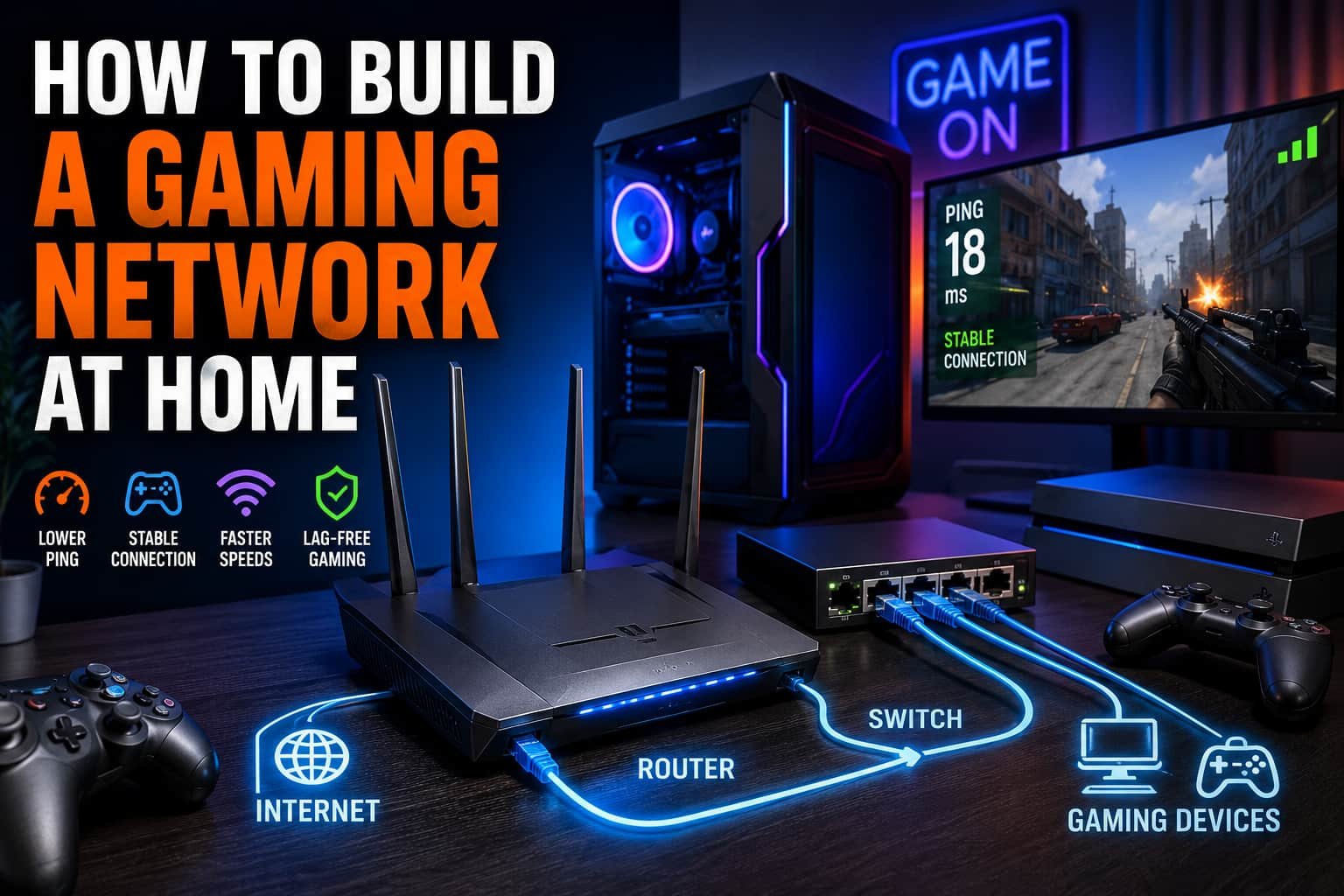
Online gaming has changed a lot over the years. Today, even a small lag spike or unstable connection can ruin a match in games like Call of Duty, Fortnite, EA Sports FC, Valorant, or Apex Legends. In my experience, many gamers spend money on expensive gaming PCs or consoles but completely ignore their home network setup. That’s usually where the real performance problem starts.
A strong gaming network at home can improve ping, reduce lag, stabilize multiplayer sessions, and make downloads much faster. After testing different setups over time, I realized that building a gaming network is not just about buying a powerful router. It’s about combining the right hardware, proper settings, and smart network management.
The good news is that creating a reliable gaming network at home is much easier than most people think. With the right setup, you can enjoy smooth gameplay, lower latency, and a better online gaming experience for everyone in the house.
What Equipment Do I Need to Build a Home Gaming Network?
Before setting up anything, you need the right equipment. A few smart upgrades can make a huge difference in gaming performance.
1. Gaming Router
A gaming router is the heart of your network. In my experience, upgrading from a basic ISP router to a dual-band or tri-band gaming router instantly improved stability during multiplayer games.
Modern gaming routers with Wi-Fi 6 or Wi-Fi 6E support offer:
- Faster wireless speeds
- Lower latency
- Better device handling
- Improved coverage
- Stronger traffic prioritization
Look for features like:
- Quality of Service (QoS)
- MU-MIMO
- Beamforming
- Gigabit Ethernet ports
- Dual-band or tri-band support
QoS is especially important because it prioritizes gaming traffic over streaming, downloads, or video calls. This helps prevent lag spikes during online matches.
If you have a larger house, a Mesh WiFi system can also help eliminate dead zones and weak signals.
2. Ethernet Cables
If there’s one thing I always recommend for serious gaming, it’s using Ethernet instead of relying fully on Wi-Fi.
A wired Ethernet connection gives:
- Lower ping
- Stable speeds
- Reduced packet loss
- Less interference
- Faster response times
Cat6 and Cat6a cables are excellent choices for gaming setups. Cat7 cables are also popular if you want extra future-proofing.
I personally noticed smoother gameplay and fewer disconnects after switching my gaming PC from Wi-Fi to Cat6 Ethernet.
3. Network Switch
Most routers only include a few Ethernet ports. If you have multiple gaming devices, a network switch becomes very useful.
A Gigabit Ethernet switch allows you to connect:
- Gaming PCs
- PlayStation consoles
- Xbox systems
- Nintendo Switch devices
- Streaming devices
- Smart TVs
Unmanaged switches are usually the easiest option for home gaming setups because they work immediately without complex configuration.
This becomes especially helpful for LAN gaming setups or households with multiple gamers.
4. Gaming PC or Console
Your gaming network also depends on the device you use. Whether you game on:
- Gaming PC
- PlayStation
- Xbox
- Nintendo Switch
- Gaming laptop
make sure your system supports Gigabit Ethernet or modern Wi-Fi standards.
A powerful gaming setup combined with a weak network still creates poor online performance. Both hardware and connectivity need to work together.
How Can You Set Up a Gaming Network at Home?
Once you have the right equipment, the next step is setting everything up correctly.
Here’s the process I usually recommend.
Choose a Fast and Reliable Internet Plan
Your gaming network starts with your Internet Service Provider (ISP).
For online gaming, speed matters, but consistency matters even more. A stable fiber internet connection usually performs better than unstable high-speed plans.
For most homes, I recommend:
- At least 100 Mbps for multiple gamers
- Low latency under 50 ms
- Unlimited bandwidth if possible
If people in your home also stream videos or work remotely, consider higher bandwidth plans.
Place the Router Properly
Router placement affects gaming performance more than most people realize.
Avoid placing the router:
- Behind walls
- Inside cabinets
- Near microwaves
- Close to metal objects
Instead, place it:
- In a central location
- Elevated from the floor
- In an open area
This improves Wi-Fi coverage and reduces wireless interference.
Use Wired Connections Whenever Possible
For competitive gaming, wired Ethernet is still the best option.
Connect devices like:
- Gaming PCs
- Consoles
- Streaming setups
directly to the router or network switch using Cat6 or Cat7 cables.
In my experience, this immediately improves ping stability in multiplayer games.
Configure Wi-Fi Bands Properly
Modern routers usually support:
- 2.4 GHz
- 5 GHz
- 6 GHz
For gaming, use 5 GHz or 6 GHz whenever possible because they provide:
- Faster speeds
- Lower interference
- Better responsiveness
Reserve 2.4 GHz for smart home devices or basic browsing.
Enable QoS Settings
Quality of Service (QoS) is one of the most important gaming features.
QoS allows the router to prioritize:
- Gaming traffic
- Voice chat
- Multiplayer sessions
over lower-priority activities like:
- Video streaming
- File downloads
- Cloud backups
Once I enabled QoS on my own router, lag spikes during peak internet usage dropped significantly.
Keep Firmware Updated
Router firmware updates improve:
- Security
- Stability
- Performance
- Compatibility
Many people ignore firmware updates, but outdated routers often perform poorly during heavy gaming sessions.
How To Set Up Internet for Gaming?
A proper internet setup creates the foundation of a good gaming network.
Here’s a simple setup process:
- Choose a reliable ISP in your area.
- Select a high-speed internet plan.
- Install a quality modem.
- Connect the modem to your router.
- Configure your Wi-Fi network name and password.
- Enable WPA3 or WPA2 security.
- Connect gaming devices using Ethernet.
- Test your internet speed and ping.
- Enable QoS and gaming optimizations.
- Restart the network occasionally for better performance.
I also recommend changing default router passwords immediately to secure your gaming network from unauthorized users.
Wired vs. Wireless — Which Is Better for Gaming?
This is one of the most common questions gamers ask.
After testing both setups extensively, I can confidently say that wired gaming is still the better option for competitive performance.
Why Wired Gaming Is Better
Ethernet connections provide:
- Lower latency
- Stable speeds
- Minimal packet loss
- Consistent ping
- Faster downloads
This becomes very important in competitive online games where milliseconds matter.
Wired setups also avoid common Wi-Fi issues like:
- Signal drops
- Wireless interference
- Congestion
- Weak coverage
When Wi-Fi Gaming Works Well
Wi-Fi is still convenient for:
- Casual gaming
- Mobile gaming
- Portable devices
- Gaming laptops
Modern Wi-Fi 6 and Wi-Fi 6E routers are much better than older wireless setups.
If you must use Wi-Fi:
- Stay close to the router
- Use 5 GHz or 6 GHz bands
- Reduce interference
- Limit background downloads
For larger homes, Mesh WiFi systems can help improve wireless gaming coverage.
How Can You Prioritize Gaming Traffic (QoS) on Your Network?
QoS is one of the easiest ways to optimize gaming performance.
Most gaming routers include QoS settings inside the router dashboard.
Here’s how to configure it:
- Open your router settings page.
- Log into the admin panel.
- Find the QoS or Traffic Control section.
- Select your gaming device.
- Set it as High Priority.
- Save the settings.
- Restart the router if needed.
Some advanced routers even allow you to prioritize:
- Specific games
- Gaming applications
- Multiplayer servers
This helps maintain smooth gameplay even when other devices are heavily using the network.
Additional Tips to Reduce Lag and Improve Gaming Performance
Over time, I’ve found several small changes that make a surprisingly big difference.
Use Custom DNS Servers
Custom DNS services can slightly improve response times.
Popular options include:
- Google DNS
- Cloudflare DNS
Avoid Peak Hour Downloads
Large downloads during gaming sessions can increase latency and network congestion.
Schedule updates and downloads during non-peak hours whenever possible.
Create a Separate VLAN
Advanced users can create a separate VLAN for gaming devices to isolate gaming traffic from smart home devices and streaming systems.
Optimize NAT Type
An open NAT type usually improves multiplayer matchmaking and connectivity.
You can improve NAT settings using:
- Port forwarding
- UPnP
- Proper firewall settings
Common Gaming Network Problems and Fixes
High Ping or Lag Spikes
Possible fixes:
- Switch to Ethernet
- Enable QoS
- Close background apps
- Choose nearby servers
Weak Wi-Fi Signal
Possible fixes:
- Move closer to the router
- Upgrade to Mesh WiFi
- Reposition the router
- Upgrade to Wi-Fi 6
Packet Loss
Possible fixes:
- Replace damaged Ethernet cables
- Restart networking equipment
- Update firmware
- Reduce network congestion
Conclusion
Building a gaming network at home does not have to be complicated. In my experience, the biggest improvements usually come from a few simple changes — upgrading the router, using Ethernet cables, enabling QoS, and optimizing Wi-Fi settings.
A strong gaming network can dramatically improve:
- Ping stability
- Multiplayer performance
- Download speeds
- Overall gaming experience
Whether you game on a PlayStation, Xbox, Nintendo Switch, or gaming PC, investing in your home network is one of the smartest upgrades you can make.
Start with the basics, improve your setup step by step, and you’ll quickly notice smoother, faster, and more reliable gaming every time you play.
FAQ’s
What internet speed is best for gaming?
For most online games, at least 25 Mbps works fine, but homes with multiple gamers should aim for 100 Mbps or higher.
Is Ethernet better than Wi-Fi for gaming?
Yes. Ethernet provides lower latency, stronger stability, and fewer connection issues compared to wireless gaming.
What type of Ethernet cable should I use for gaming?
Cat6 or Cat6a cables are excellent for modern gaming networks because they support high-speed and low-latency connections.
Does QoS really help gaming?
Yes. QoS prioritizes gaming traffic over other internet activity, helping reduce lag and improve multiplayer stability.
Should I use a Mesh WiFi system for gaming?
If you have a large home or weak Wi-Fi coverage, a Mesh WiFi system can significantly improve wireless gaming performance.


 Mark Jones