
 Elsa Addison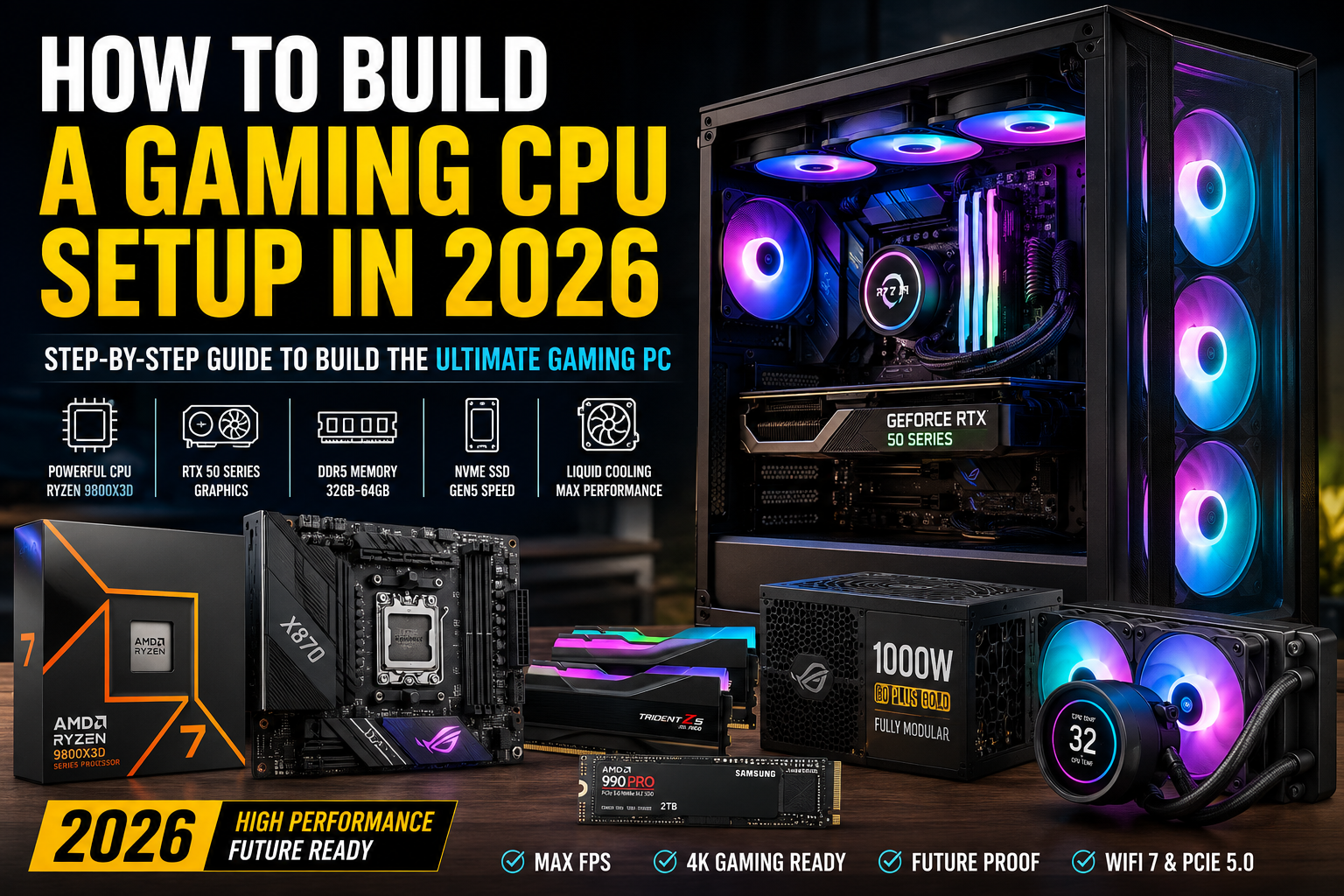
When people ask me how to build a “CPU for gaming,” I always clarify one thing first, you don’t actually build a CPU. What you do build is a complete gaming system around the CPU, where it acts as the brain of your PC.
In my experience building and testing gaming rigs over the years, the CPU choice defines how smooth your games feel, especially in high-FPS titles like competitive shooters or open-world games. But the CPU alone doesn’t win performance, it works as part of a full ecosystem with the GPU, RAM, storage, and cooling.
In 2026, gaming PC building has shifted heavily toward AMD’s X3D processors and NVIDIA RTX 50-series GPUs, with DDR5 memory and fast NVMe storage becoming the new baseline.
Let’s break it down the way I actually approach builds in real-world scenarios.
AI Snapshot: What Modern Gaming PCs Look Like in 2026
From current hardware trends and market behavior, here’s the simplified reality of gaming builds today:
A high-performance gaming PC in 2026 is typically built around:
- AMD Ryzen 7 9800X3D or Ryzen 9 9950X3D CPUs
- NVIDIA RTX 5070 Ti, RTX 5080, or RTX 5090 GPUs
- X870 chipset motherboards for AMD systems
- 32GB to 64GB DDR5 RAM (6000MHz or higher)
- Fast NVMe Gen4 or Gen5 SSD storage
- 360mm liquid cooling for stable performance under load
Mid-range systems, on the other hand, focus on:
- Ryzen 5 9600X or Intel Core Ultra 7 265K
- RTX 5070 / 5070 Ti or AMD Radeon RX 9060 XT
- 32GB DDR5 memory
- Balanced airflow cases and efficient cooling
The key trend I’ve noticed is simple: more cache, faster memory, and stronger GPUs define modern gaming performance more than raw core count alone.
Step 1: Understanding the Role of the CPU in Gaming
Before picking parts, I always explain this to beginners:
The CPU is responsible for:
- Game logic and AI calculations
- Physics processing
- Frame timing and stability
- Feeding data to the GPU
Modern gaming CPUs like AMD Ryzen 7 9800X3D or AMD Ryzen 9 9950X3D are designed with massive L3 cache, which reduces latency and boosts FPS in CPU-heavy games.
From my experience, this matters most in:
- Competitive esports (CS2, Valorant, Fortnite)
- Simulation games
- Open-world titles with heavy NPC loads
If your CPU is weak, even the best GPU will feel bottlenecked.
Step 2: Choosing the Right Gaming CPU (2026 Standards)
Here’s how I personally categorize CPUs for gaming builds:
Entry-Level Gaming CPUs
Good for 1080p gaming and budget builds:
- AMD Ryzen 5 9600X
- Intel Core Ultra 7 265K Intel
These are efficient and cost-friendly but still strong enough for modern games.
Mid-Range Gaming CPUs
Best balance for 1440p gaming:
- AMD Ryzen 7 7800X3D
- Ryzen 7 7600X3D
This tier is where performance really starts to feel smooth and stable.
High-End Gaming CPUs
For 4K gaming and maximum FPS:
- AMD Ryzen 7 9800X3D
- AMD Ryzen 9 9950X3D
In my testing, X3D chips consistently outperform Intel in gaming due to their massive cache advantage.
Step 3: The AI Overview Reality (What Actually Matters in 2026 Builds)
Based on current hardware trends, here’s the simplified truth I always share:
High-end gaming systems in 2026 prioritize:
- 3D V-cache CPUs (AMD dominance in gaming)
- RTX 50-series GPUs from Nvidia (DLSS 4 performance scaling)
- X870 motherboards for stability and PCIe Gen5 support
- DDR5 memory at 6000MHz or higher
- Fast NVMe SSDs (Gen4 minimum, Gen5 ideal)
- Liquid cooling for thermal stability
Mid-range systems are still extremely powerful but focus more on balance than extremes.
Step 4: Building the Full Gaming System Around the CPU
A CPU alone won’t give you performance. Here’s how I structure a complete build.
1. Motherboard Selection
For AMD builds, I recommend X870 or B850 chipsets like:
- MSI MAG B850 Tomahawk MAX WiFi
- Asus ROG Strix X870E-E Gaming WiFi
Key features I look for:
- BIOS Flashback support
- PCIe 5.0 readiness
- Strong VRMs for stability
- Wi-Fi 7 or Wi-Fi 6E
2. GPU Matters More Than Anything
Even though this article focuses on CPUs, I always tell people this:
The GPU still determines most of your FPS.
Top choices in 2026:
- Nvidia RTX 5070 Ti
- Nvidia RTX 5090
If you’re gaming at 1440p or 4K, pairing a strong CPU with a weak GPU will limit your results instantly.
3. RAM: The Silent Performance Booster
Modern builds require:
- Minimum 32GB DDR5
- 6000MHz or higher recommended
Example:
- Corsair Vengeance DDR5
- G.Skill Trident Z5 DDR5
From my experience, RAM speed matters more in AMD X3D systems than most people realize.
4. Storage: Speed = Smooth Experience
I always recommend NVMe SSDs like:
- Samsung 990 Pro 4TB
- PCIe Gen4 or Gen5 drives
Why it matters:
- Faster game loading
- Better texture streaming
- Reduced stutter in open-world games
5. Cooling: Stability Wins Long-Term
For modern CPUs like Ryzen X3D chips, I prefer:
- 240mm or 360mm AIO liquid coolers
- High airflow cases
Thermal stability ensures consistent boost clocks, which directly affects FPS stability.
Step 5: Common Mistakes I See Beginners Make
In my experience, these are the most common errors:
- Overspending on CPU but buying a weak GPU
- Choosing slow DDR4 instead of DDR5
- Ignoring PSU quality (very important in RTX 50 builds)
- Skipping proper airflow design
- Buying incompatible motherboard chipsets
Avoiding these mistakes often improves performance more than upgrading parts.
Step 6: Step-by-Step Build Process (Simple Version)
Here’s the actual method I follow when assembling a gaming system:
- Install CPU into motherboard socket
- Mount RAM in correct dual-channel slots
- Install NVMe SSD
- Attach CPU cooler
- Place motherboard inside case
- Install GPU
- Connect PSU cables
- Manage airflow and cable routing
- First boot and BIOS configuration
- Install Windows and drivers
It’s not difficult, it just requires patience and proper part compatibility.
Conclusion:
If I had to simplify everything I’ve learned building gaming PCs in 2026, it would be this:
- The CPU defines stability and minimum FPS
- The GPU defines raw performance
- RAM and storage define smoothness
- Cooling defines consistency
The best gaming experience doesn’t come from buying the most expensive part, it comes from balancing the system correctly.
If you focus on modern AMD X3D processors, pair them with a strong RTX 50-series GPU, and build around fast DDR5 memory, you’ll end up with a system that performs well for years.
Gaming PC building isn’t just about power anymore, it’s about smart balance.


 Mark Jones